Accessing Your Member Benefits - How to Navigate the BOMA Oakland East Bay Member Directory
How to Navigate the BOMA Oakland East Bay Member Directory
Learn how to efficiently search and browse through professional members and associate service providers using the BOMA Oakland East Bay online directory. This guide simplifies the process of filtering results by category and locating specific company profiles for your building management needs.
Directory Access
1. Navigate to https://www.bomaoeb.org/ and log in to your account. Please note that the Directories page is available exclusively to members and cannot be viewed unless you are signed in.
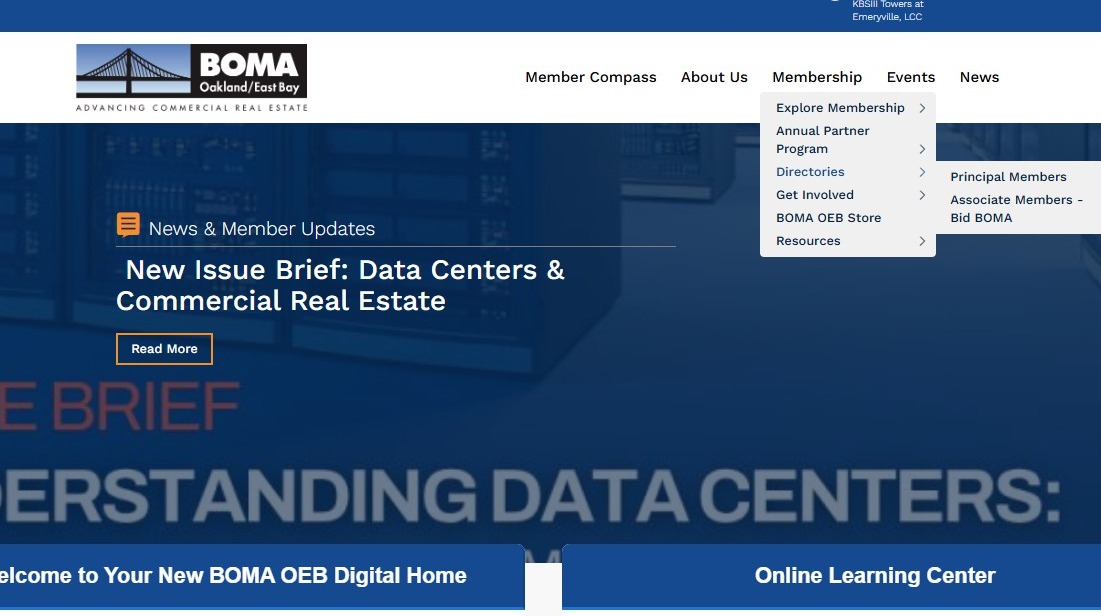
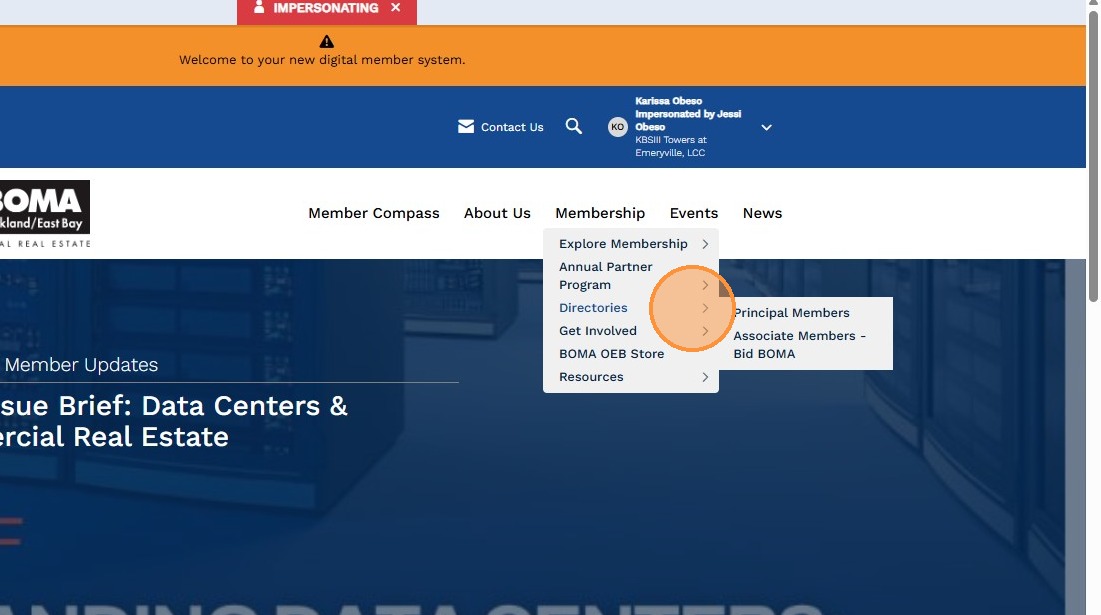
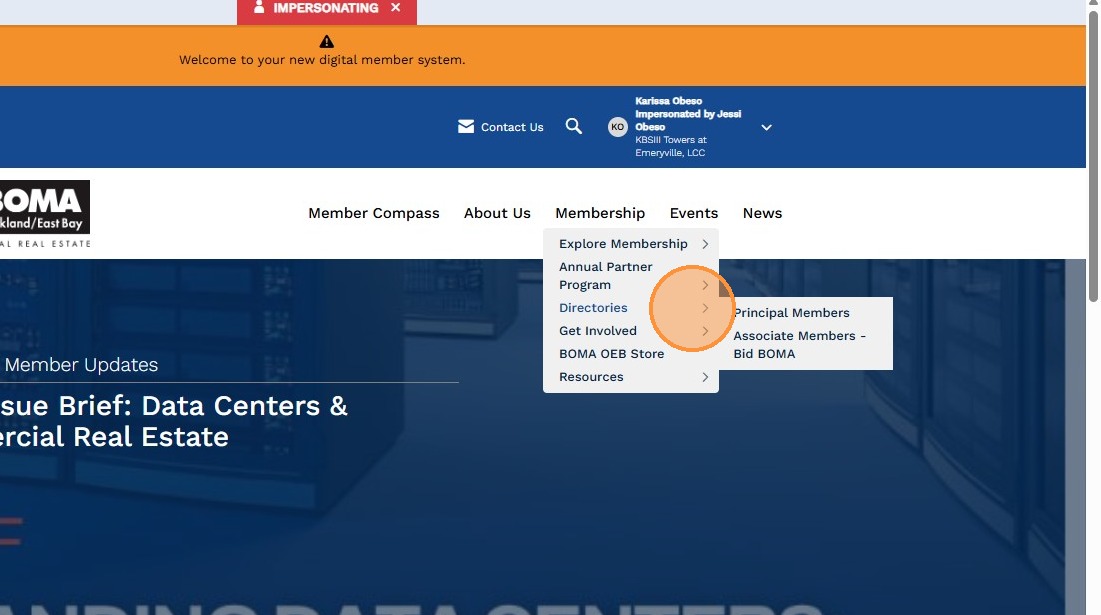
2. Hover your mouse over "Membership", then select "Directories" from the dropdown menu. Choose the directory you would like to view from the available options.
Principal Member Directory
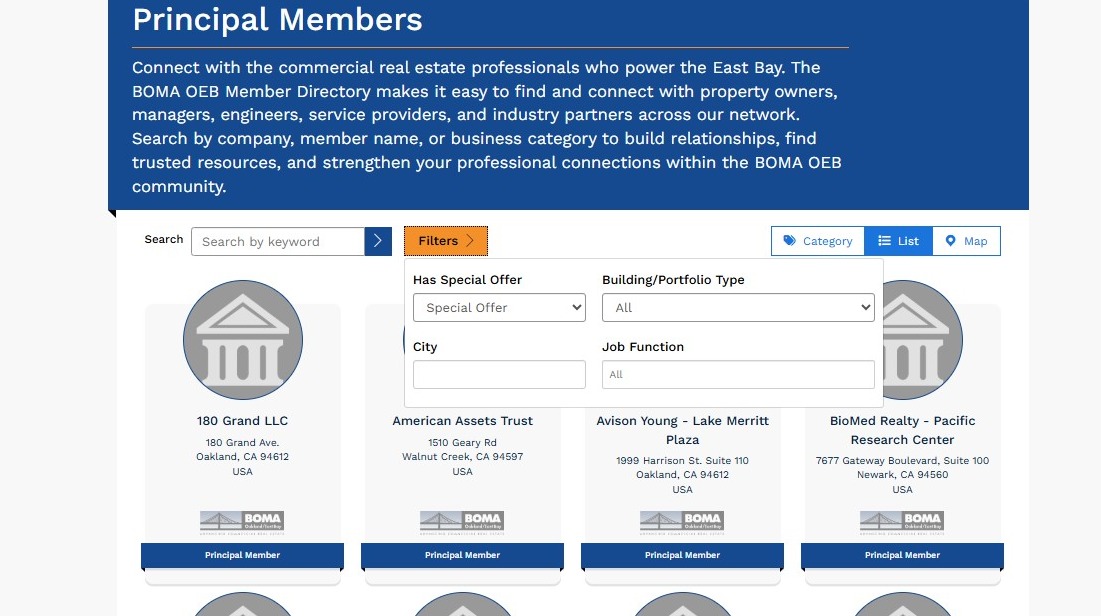
3. In the Principal Members Directory, you can use the search and filter tools to find specific buildings, companies, or member types. This allows you to quickly narrow your results and locate the contacts or properties you're looking for.
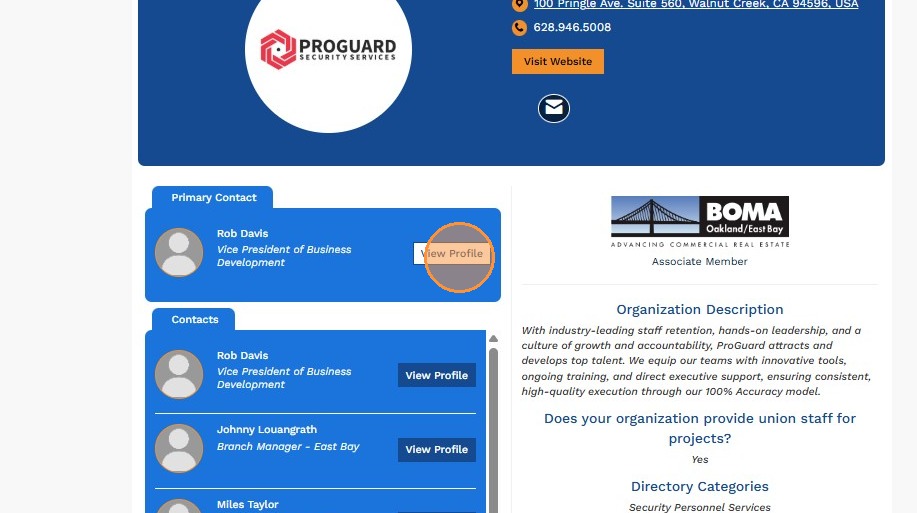
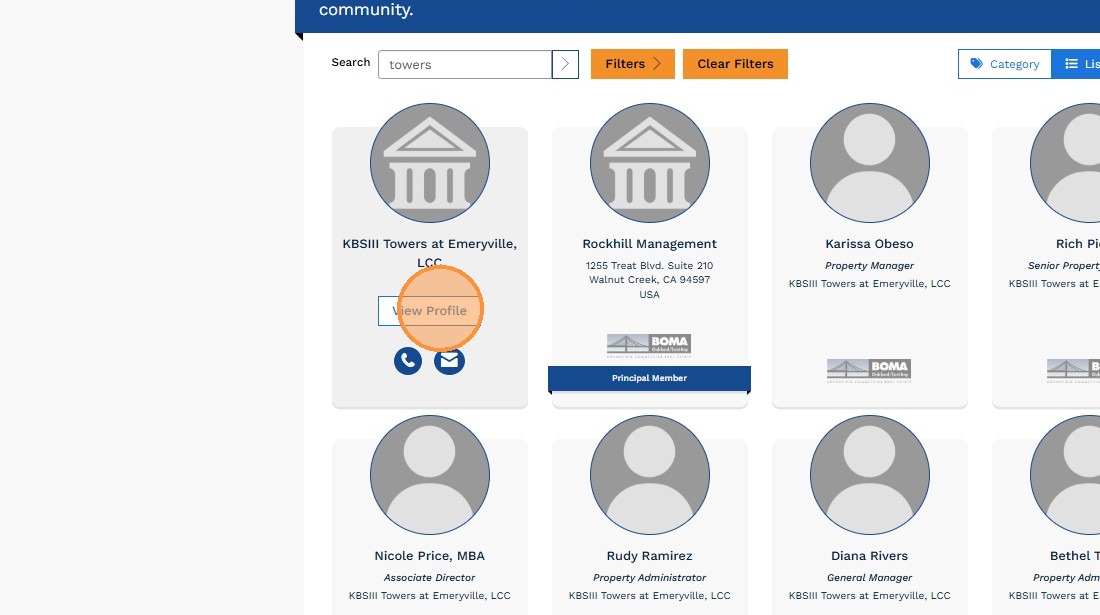
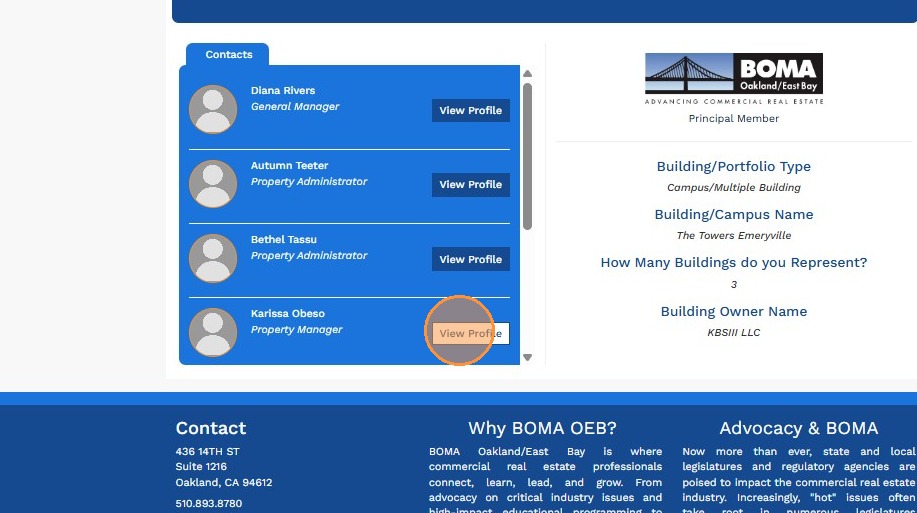
4. Select an organization to view its profile. From the organization profile page, click on a contact's name to view their individual member profile and contact information.
Associate Member Directory
5. To access the Associate Directory, hover your mouse over "Membership", select "Directories", and then choose "Associate Members – Bid BOMA" from the list of available directories.
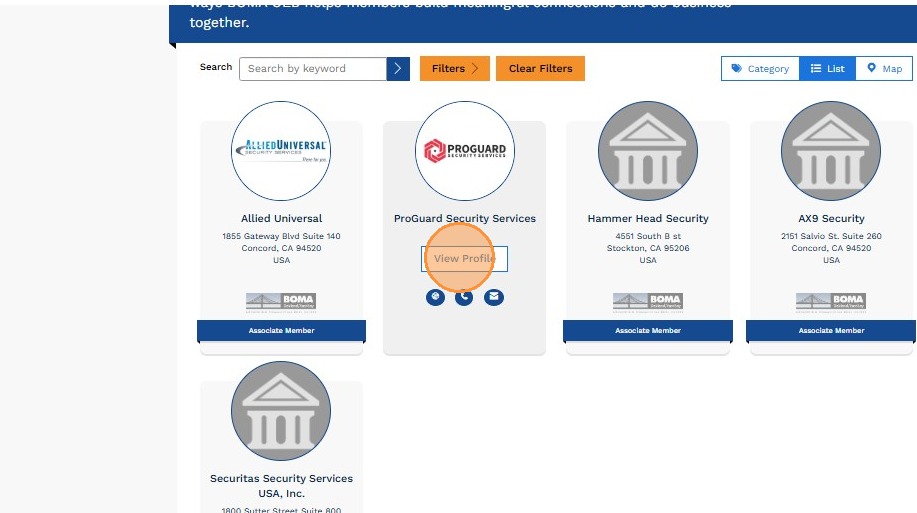
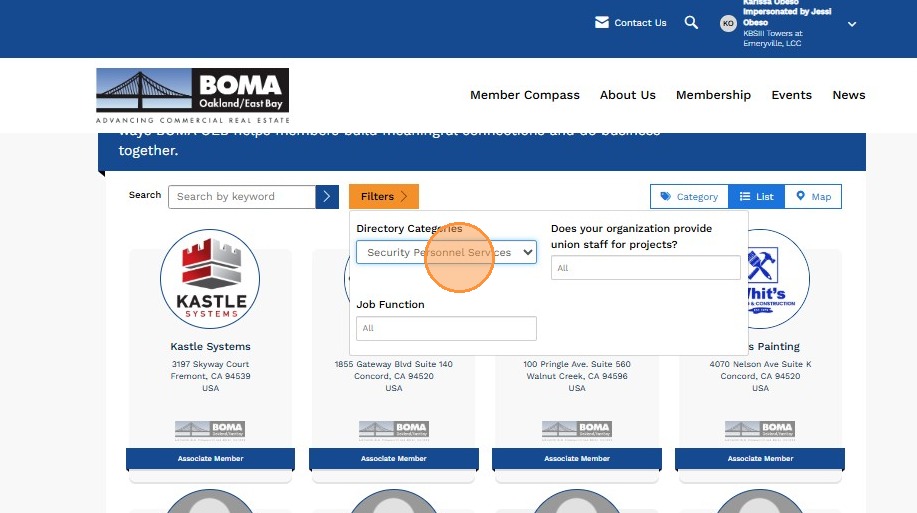
6. Use the "Filters" panel to select the "Directory Categories" that match your search criteria, or use the search bar to find a specific company, keyword, product, or service.
7. Select an organization to view its profile. From the organization profile page, click on a contact's name to access their individual profile and contact information.