2027 Renewal Dues Invoice: FAQ's & Payment Guide
Your 2027 renewal dues invoice is ready! This quick FAQ guide covers how to locate and download your official dues invoice through the Member Compass portal, make payments online, and manage optional invoice items. Find answers to common questions and helpful tips to make your renewal process as smooth as possible
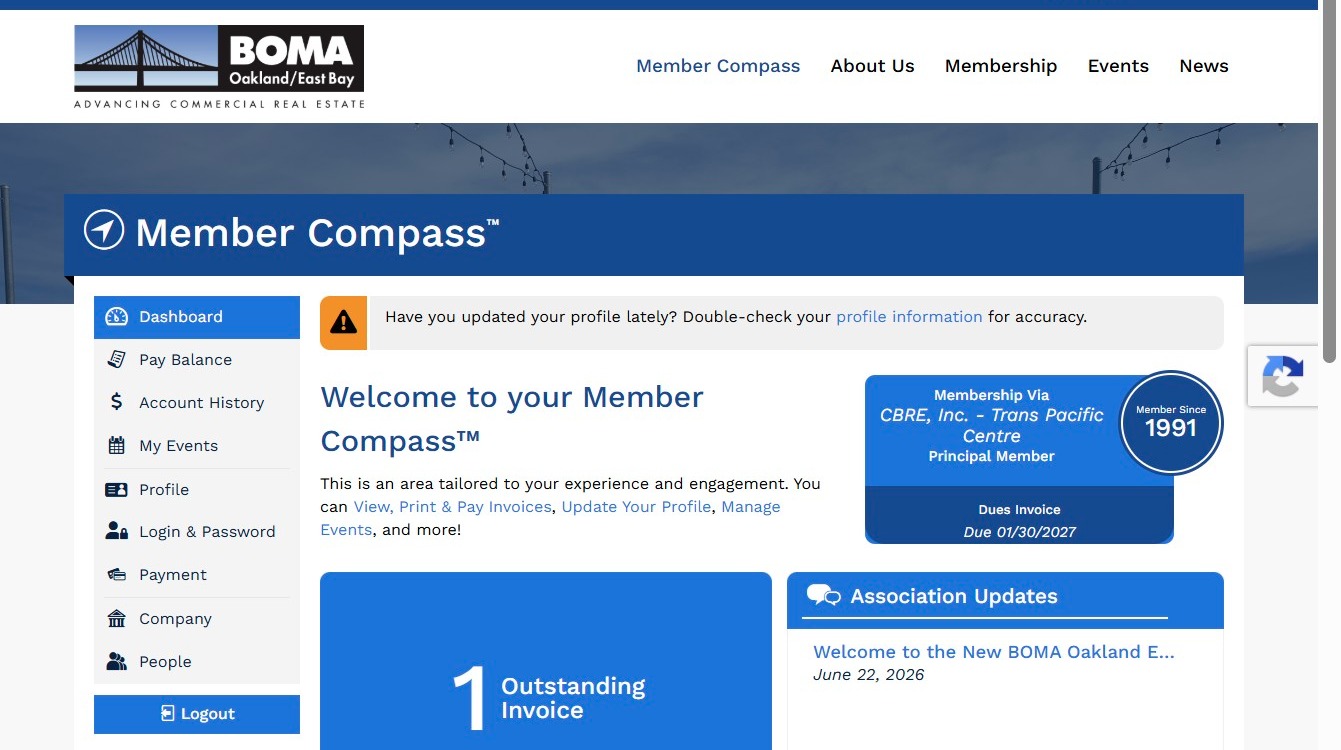
1. Navigate to your Member Compass on the BOMA OEB Website https://www.bomaoeb.org/member-compass
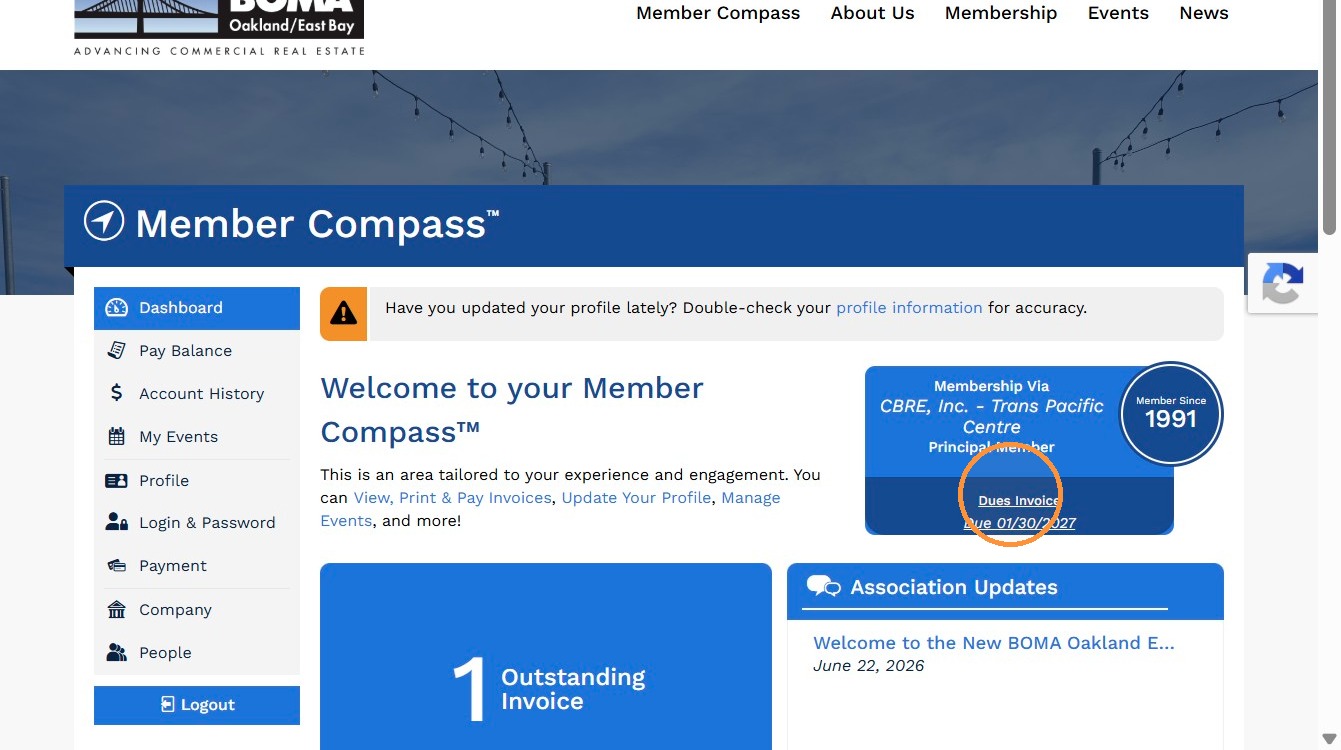
2. Click "Dues Invoice" and navigate to the specific invoice.
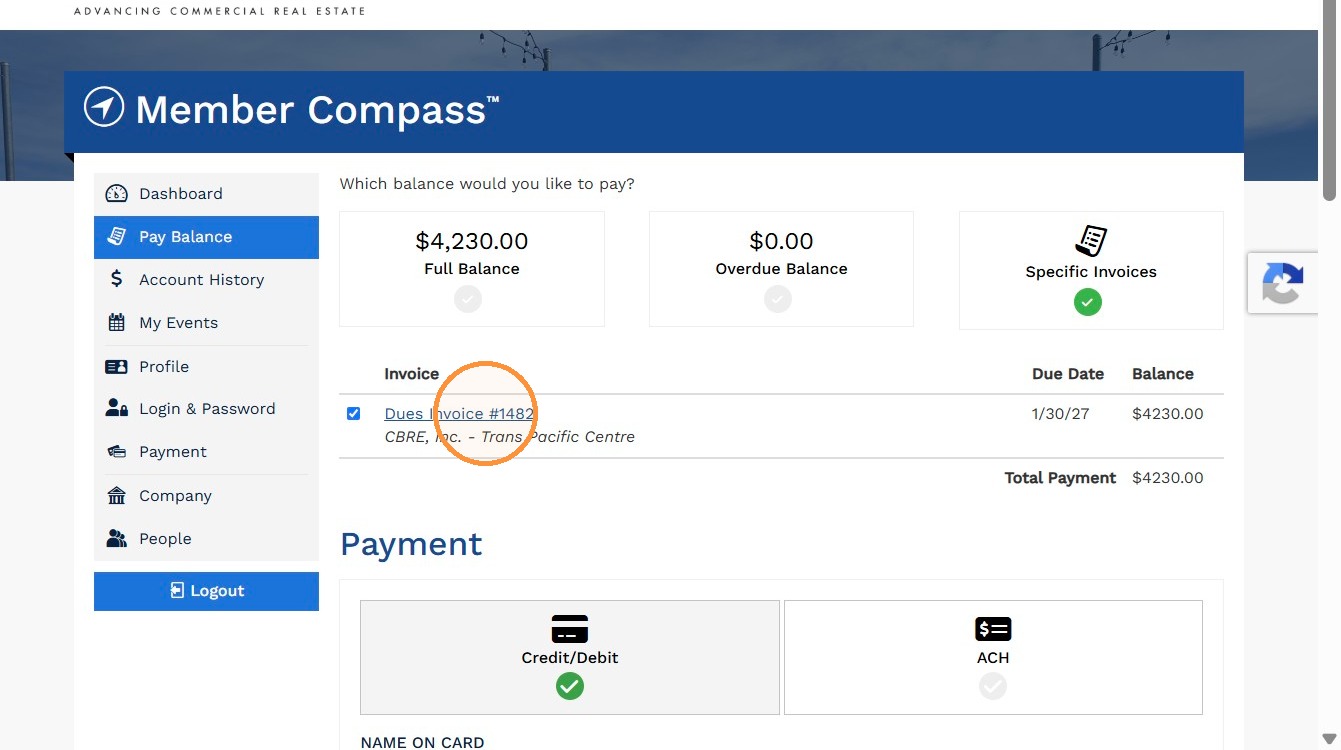
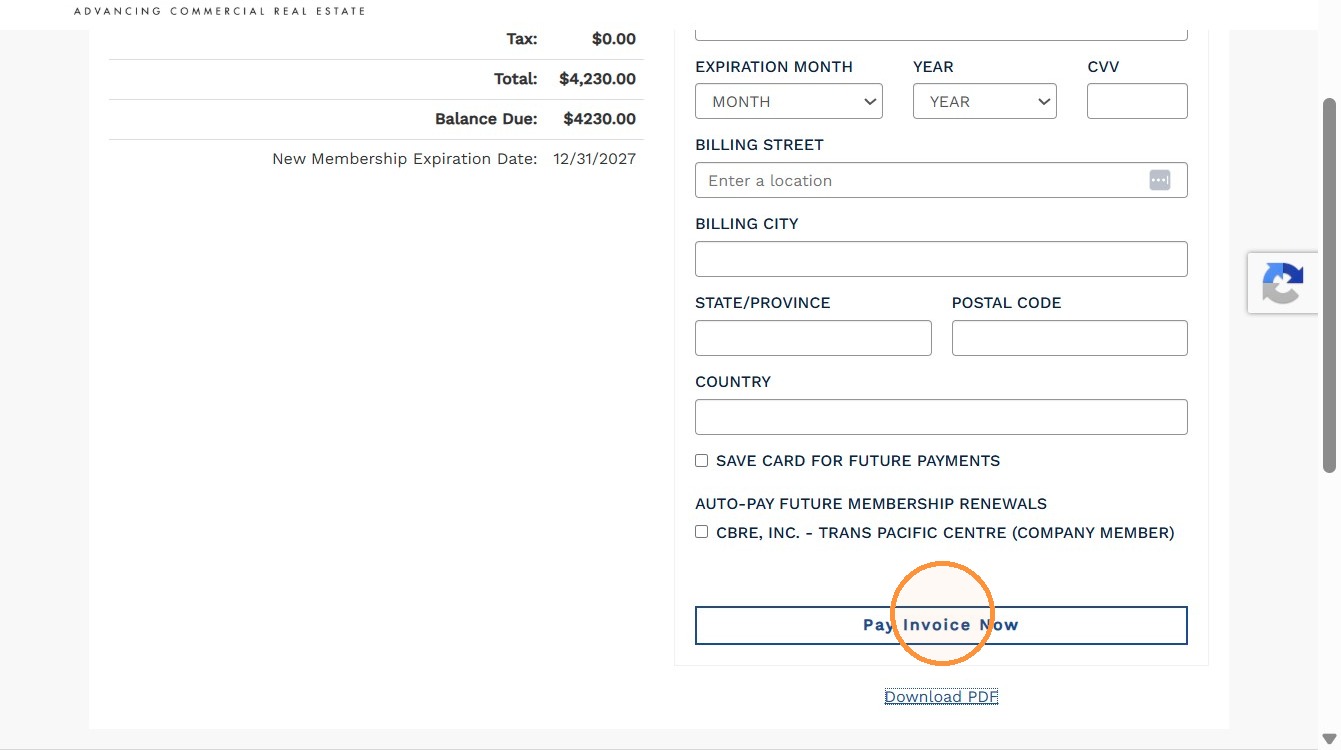
3. If you prefer to pay by credit card or ACH, click "Pay Invoice Now" to proceed with online payment.
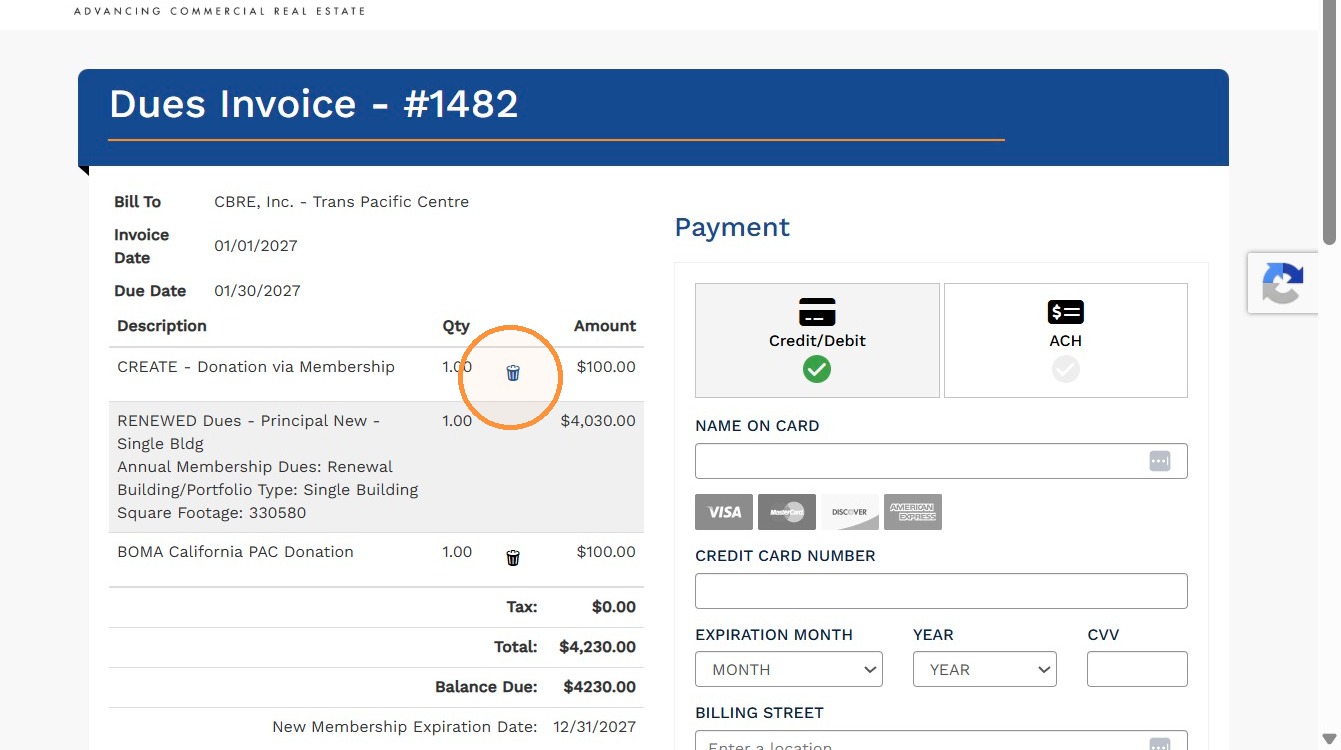
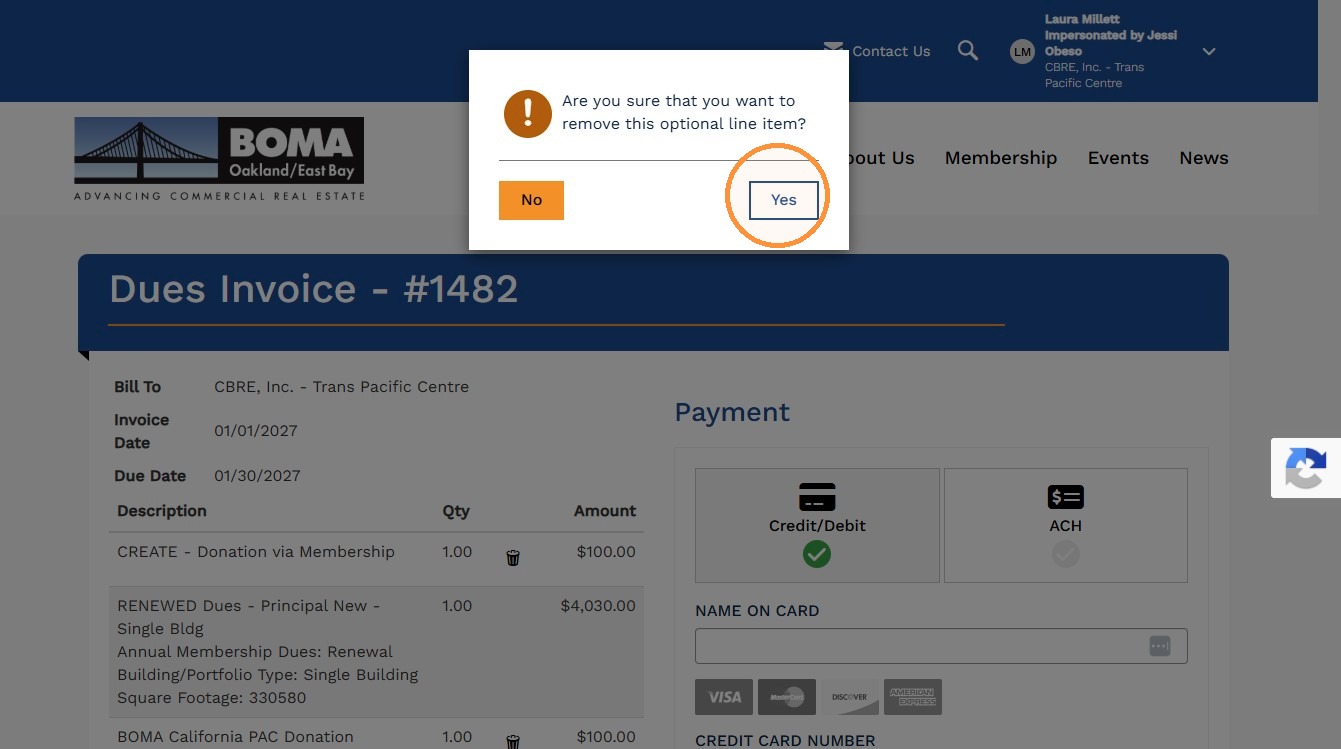
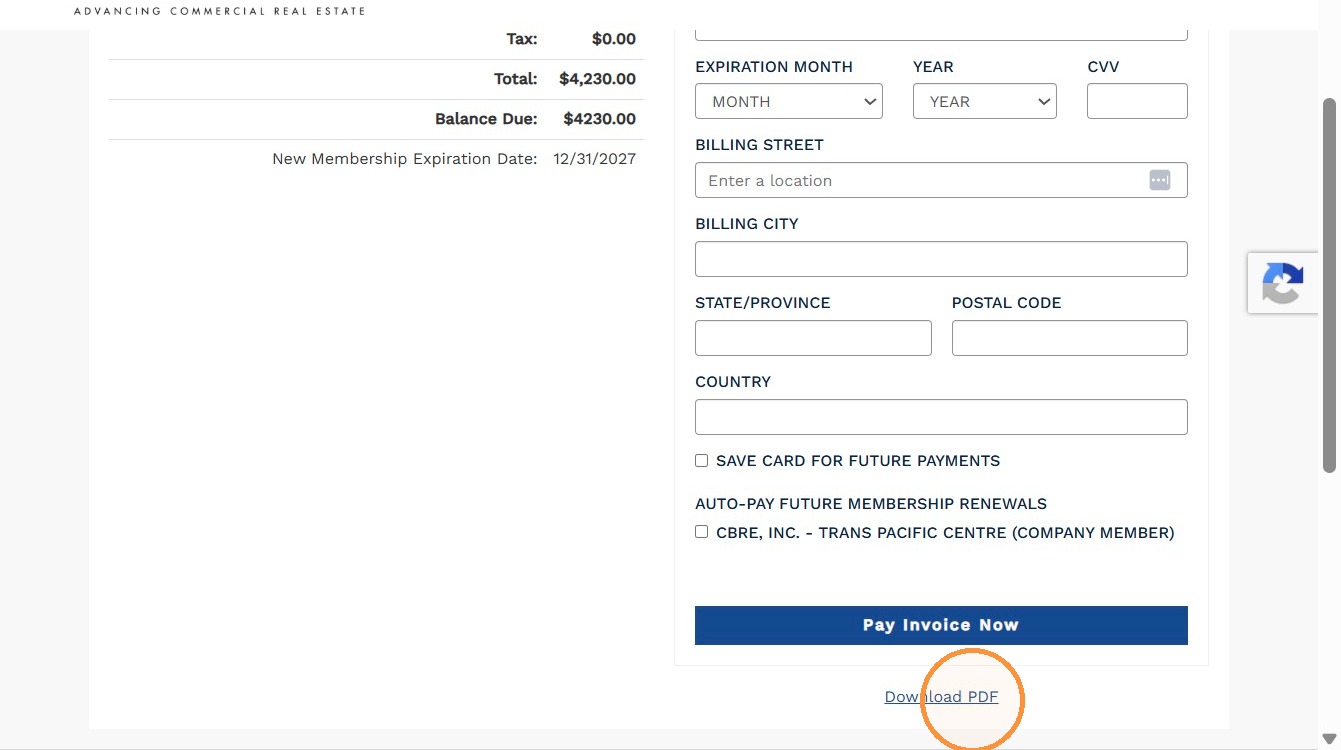
4. If you prefer to pay by check and need a PDF copy of your invoice, click "Download PDF" to save or print the invoice.
5. If you'd like to remove the optional donations from your invoice, click the trash icon next to the donation line item, then select "Yes" to confirm.